Zeno Desk
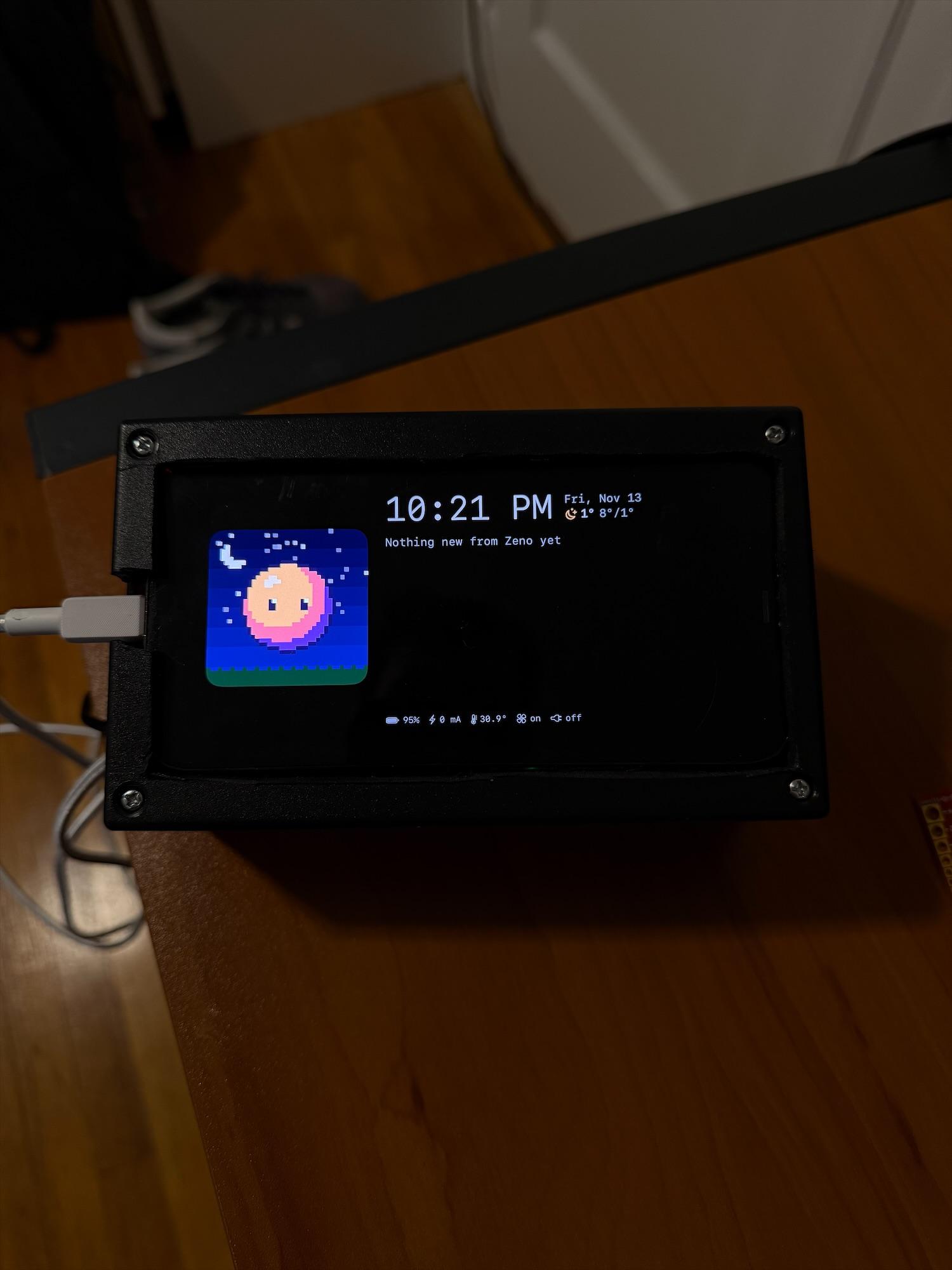
My old iPhone lives on my desk now, as Zeno's screen. It answers to my hands: an open palm, a pinch, a swipe. It never leaves the charger, so I built a box that decides when it charges and keeps it cool.
Part of Zeno, my AI agent. On my desk since 13 Nov 2026. Double-tap the screen.
Zeno, on my desk
The screen is an app I wrote for the phone. Pixel Zeno sits in a little window whose sky follows the real weather, next to the clock and his latest news. When he's on the phone for me, the call shows here as it happens.
Along the bottom is a strip from the box: battery, charging current, the phone's temperature, the fan and the charger. A phone screen left on all day can burn in, so everything drifts a few pixels every few minutes, and from 11pm the screen goes black while Zeno sleeps.
It watches my hands.
The phone sits across the desk, so I didn't want to touch it. An open palm wakes the gestures for four seconds; then a pinch opens the graphs and a swipe goes back. Apple's Vision finds the hand, and a small model I trained on my own hands decides what it's doing.
- What it sees21 points on the hand, from the front camera, ten times a second. Numbers only; no frame is kept or sent.
- What decidesA model I trained on my own recordings: 21,381 weights, 87 KB, one second of points in, a gesture out.
- How well96% of one-second windows right in cross-validation, 4.9% false triggers before the palm gate; the hand-written rules managed 59% and 37%.
- What it can't doApprove anything. Gestures switch screens; Face ID stays the only yes.
Pick a gesture, or try it with your camera.
asleep
Real hand points from my recordings, at the ten frames a second the phone sees. Blue is a fingertip.
- With the camera on, these can be picked up.
Try a swipe before a palm and watch it get ignored. That gate is why the desk doesn't react every time I reach for my coffee. The camera version runs entirely in your browser on my hand-written rules; the phone uses the model I trained.
A phone that never unplugs wears out.
Sitting at 100% on a charger all day runs a phone warm and ages its battery, and an old iPhone has no setting to stop at 80%. So the decision moved out of the phone and into a box I built.
- iPhoneReports its battery and heat every minute
- The boxAn ESP32 decides: charge, or not
- RelaySwitches the phone's 5 V on or off
The rules
- Below 40%, it charges. Above 80%, it stops.
- If the phone says it's getting hot, charging stops, whatever the battery.
- If the phone goes quiet for 15 minutes, it charges anyway, so it can never die silently.
- The relay is wired so that if the box itself fails, the phone keeps charging.
- The fan comes on at 38 °C on the back of the phone and goes off at 35 °C.
The rules live in the box, not the phone, so they keep working whatever the app is doing.
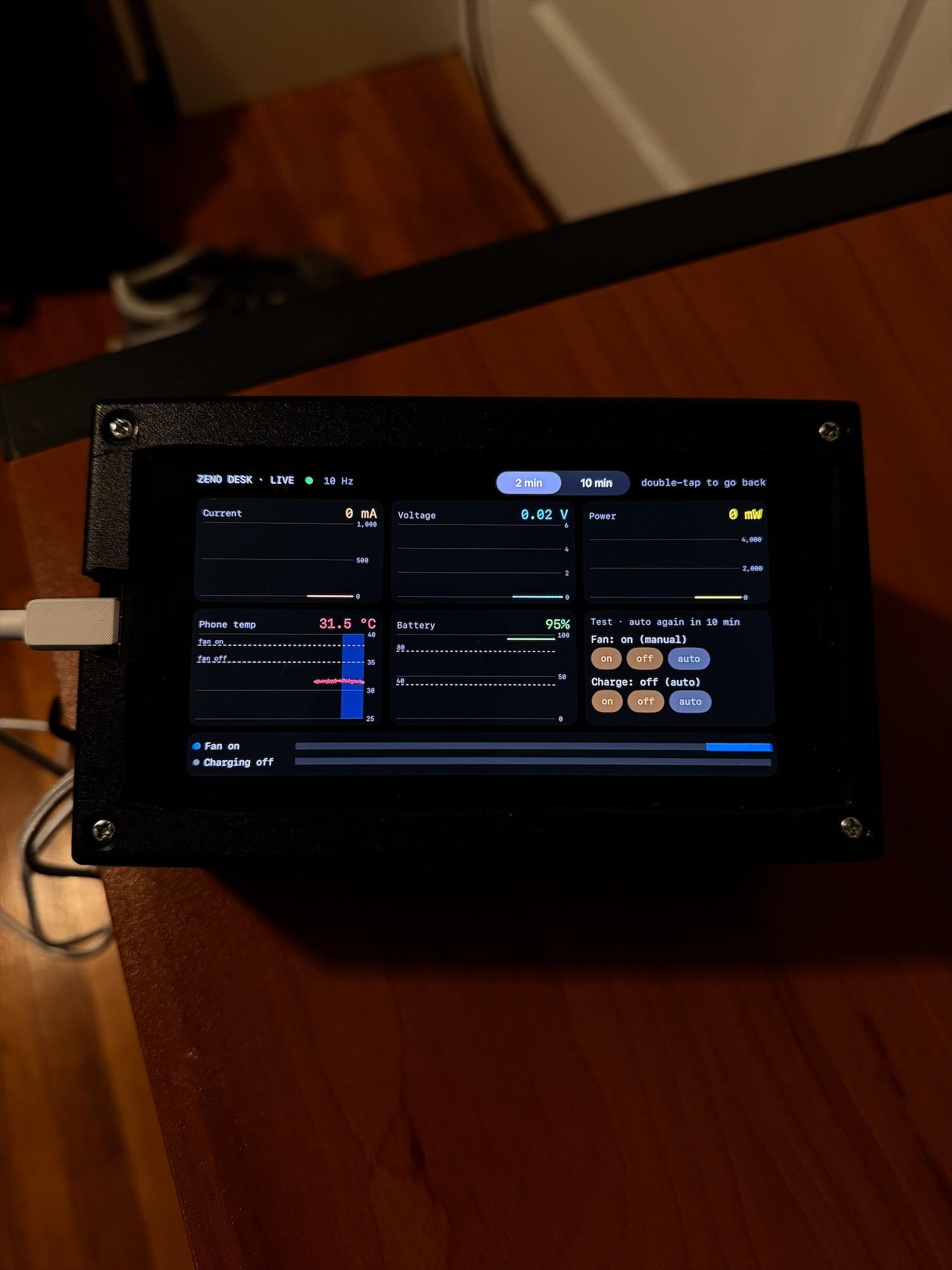
Double-tap for the graphs
The box measures the phone's current, voltage and power, and its temperature from an infrared sensor, ten times a second. Double-tap the screen and it turns into live graphs, with bands showing when the fan and the charger were on. Double-tap again and Zeno is back.
In this one the phone charges at around 700 mA, then the box switches it off and the lines drop to zero. The screen at the top of this page does the same: double-tap it.
See the last 24 hours from my desk, an hour behind.
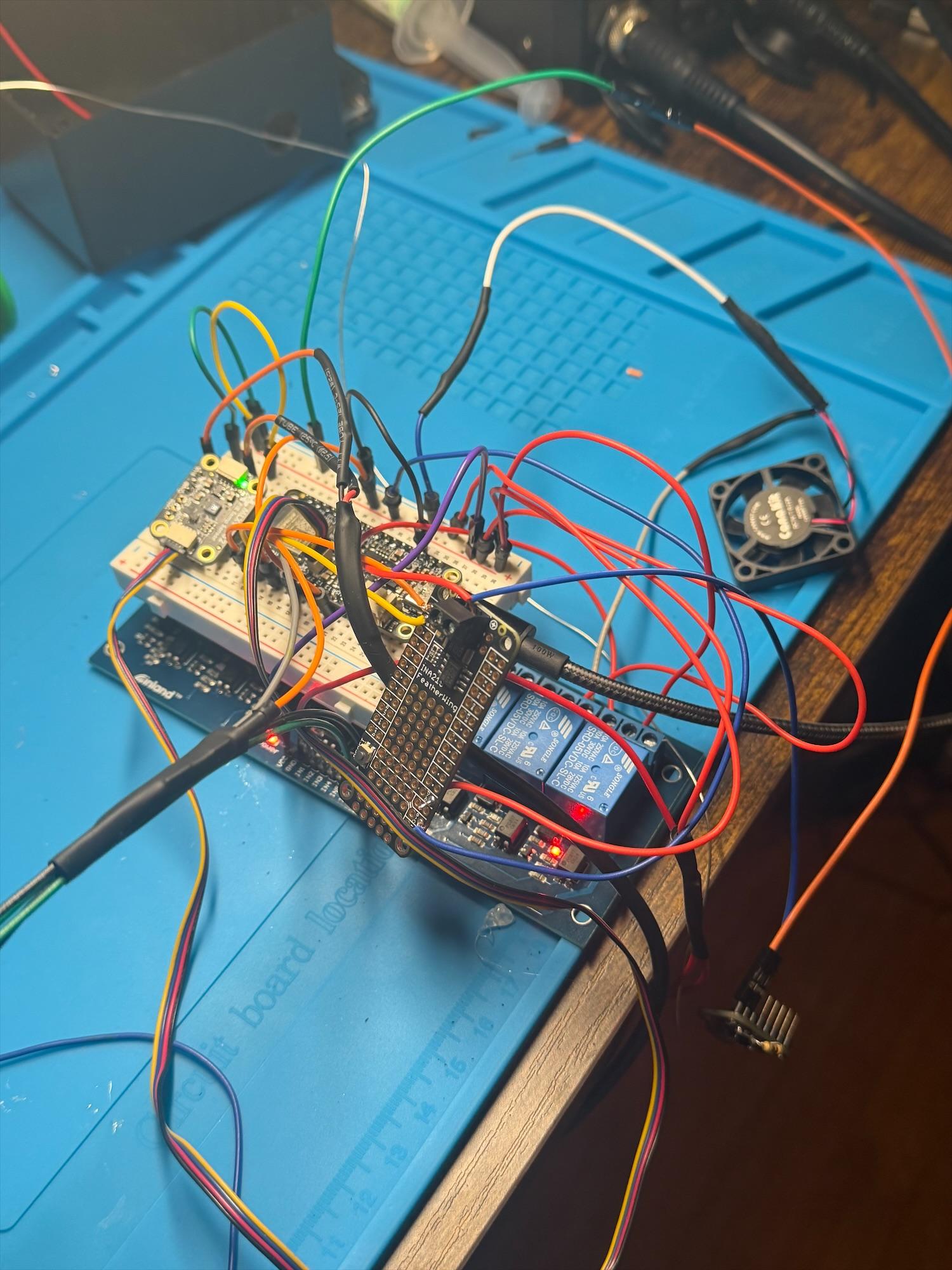
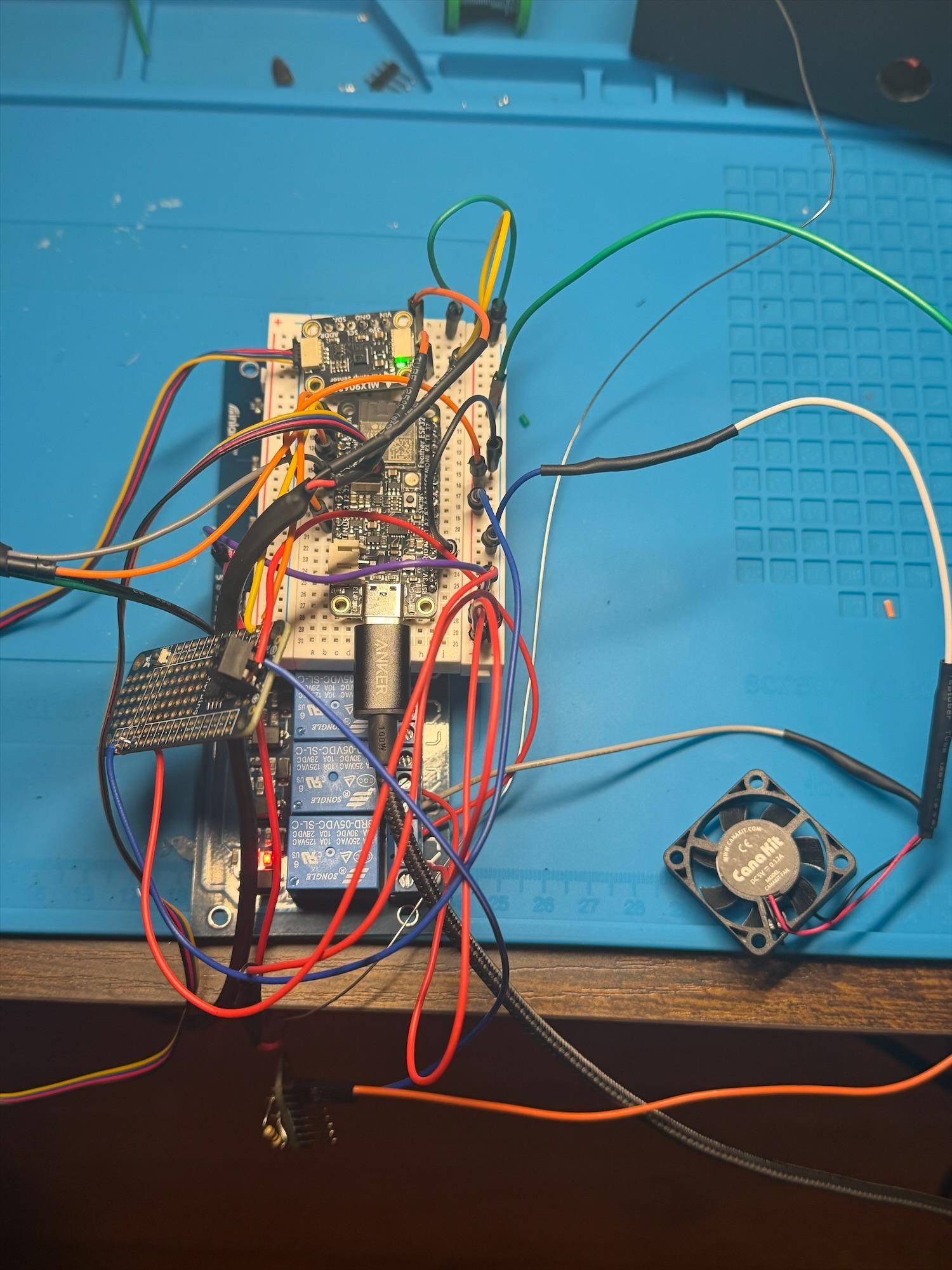
The box, before the lid
An ESP32 board on a breadboard, a relay board, a current sensor in the phone's power line, an infrared temperature sensor pointed at the back of the phone, and a small 5 V fan. Two USB-C boards take power in and hand it to the phone's cable. New code reaches it over Wi-Fi, so it never needs opening again.
What I got wrong first
- No charge at allThe phone's cable expects to see a resistor on the USB-C socket before it will take power. Mine had none. One 10k resistor fixed it.
- Charging stopped when it should startThe relay has two outputs that do opposite things, and nothing on the board says which is which. I'd used the wrong one, and found it by testing each.
- Everything backwardsOff meant on. The relay board switches on a high signal, not the low one I'd assumed. A two-line change in the code.
Meet the AI behind it
Zeno is the agent I text from my phone. My TV is one of his screens; this is the one on my desk.
Built with
 SwiftUI
 ESP32
 Arduino
 Apple Vision hand pose
 Core ML
 PyTorch
 Python
 Claude Code
Plus an INA219 current sensor, an MLX90632 infrared sensor and a relay board. Product names and logos are trademarks of their owners.